Plot
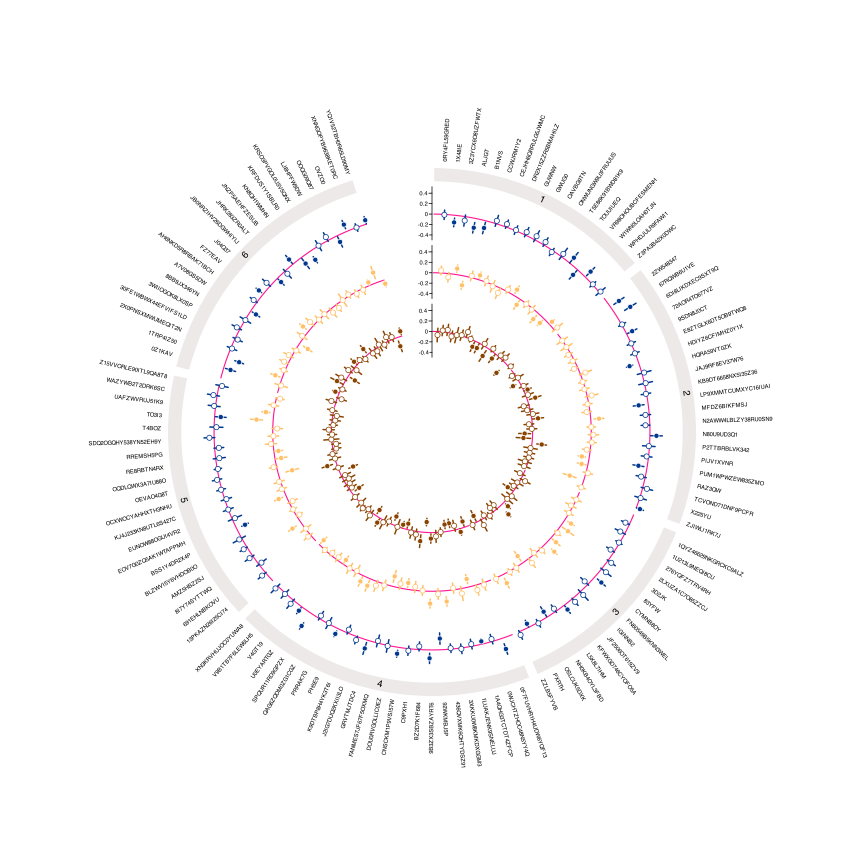
The most common use case for EpiViz is plotting effect
estimates (e.g., betas or odds ratios) across multiple sectors.
Using the built-in datasets, we can create a three-track scatter plot with confidence intervals to compare different cohorts or exposures.
The following are required:
-
estimate_column: The central value to plot. -
pvalue_column: Used to color significant results differently (filled vs. empty points). -
pvalue_adjustment: The threshold for significance (default is 0.05). -
lower_ci&upper_ci: Used to draw confidence interval segments. -
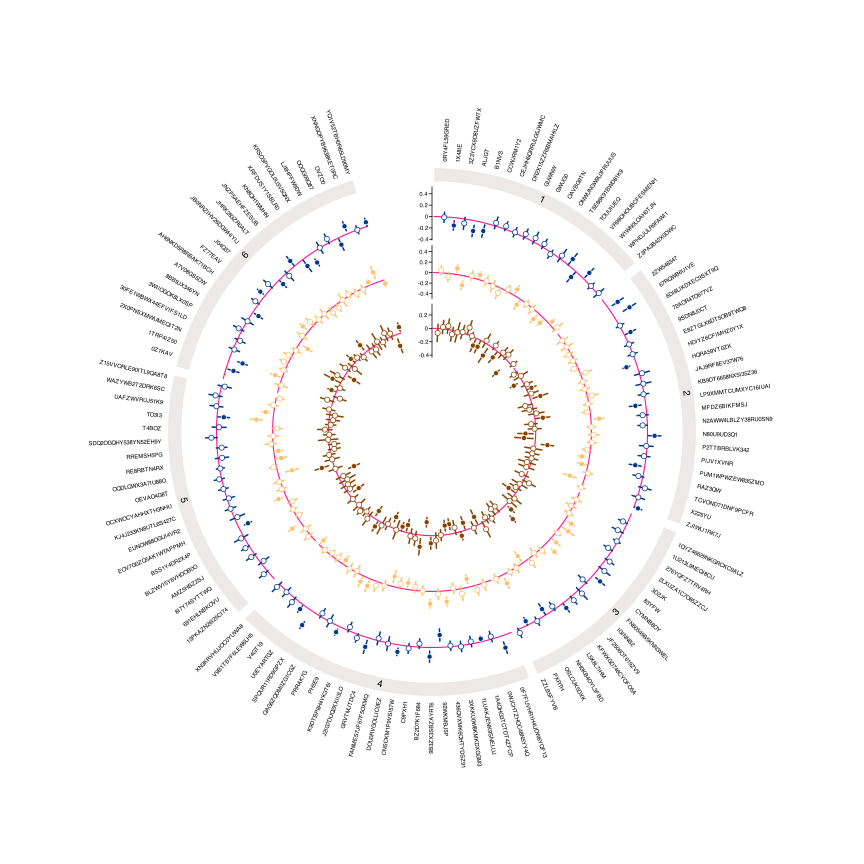
equal_axis: Set toTRUEif you want all tracks to share the same Y-axis limits.
circos_plot(
  track_number = 3,
  track1_data = EpiViz_data1,
  track2_data = EpiViz_data2,
  track3_data = EpiViz_data3,
  track1_type = "points",
  track2_type = "points",
  track3_type = "points",
  label_column = "label",
  section_column = "class",
  estimate_column = "beta",
  pvalue_column = "pvalue",
  lower_ci = "lower_confidence_interval",
  upper_ci = "upper_confidence_interval",
  circle_size = 25
)
Shared Axis Limits
When comparing multiple tracks, it can be useful to force all tracks to share the same Y-axis scale. This makes visual comparison easier by ensuring the same vertical distance represents the same magnitude across all tracks.
circos_plot(
  track_number = 3,
  track1_data = EpiViz_data1,
  track2_data = EpiViz_data2,
  track3_data = EpiViz_data3,
  track1_type = "points",
  track2_type = "points",
  track3_type = "points",
  label_column = "label",
  section_column = "class",
  estimate_column = "beta",
  pvalue_column = "pvalue",
  lower_ci = "lower_confidence_interval",
  upper_ci = "upper_confidence_interval",
  equal_axis = TRUE,
  circle_size = 25
)